A Complete Guide to Paying Your DEWA Bills Online in Dubai

James Whitfield
5 May 2026
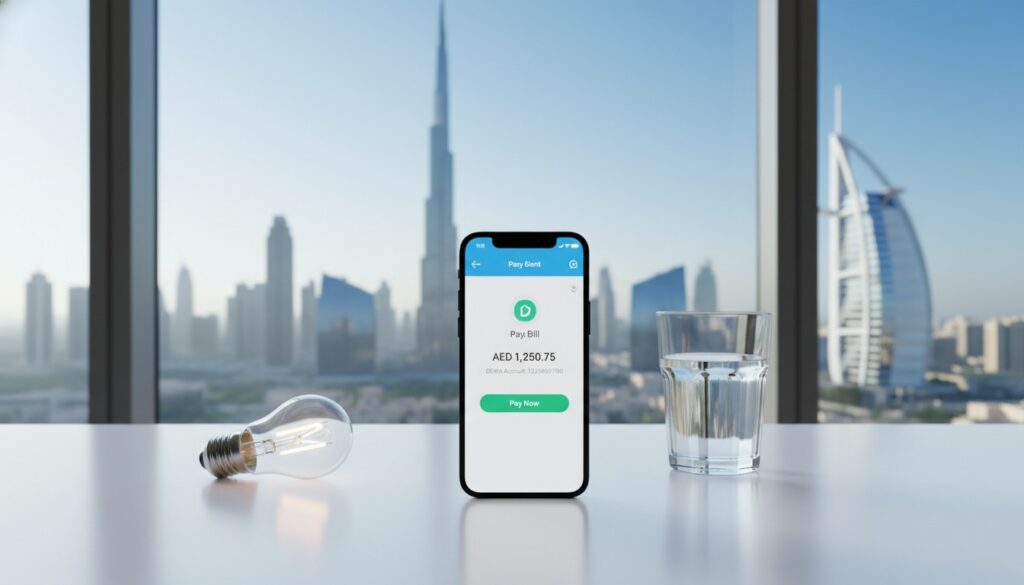
A Complete Guide to Paying Your DEWA Bills Online in Dubai
If you live in Dubai, you’re already familiar with DEWA — the Dubai Electricity and Water Authority. It’s the sole provider of electricity and water services across the emirate, and staying on top of your DEWA bill is one of those non-negotiable responsibilities that comes with life in the city. The good news? Gone are the days of standing in long queues at service centers. Today, there are multiple fast, secure, and convenient online methods to pay your DEWA bills from the comfort of your home — or even on the go.
In this comprehensive guide, we’ll walk you through every online payment option available, share practical tips to avoid late fees, and help you set up systems so you never miss a due date again.
Understanding Your DEWA Bill
Before diving into payment methods, it’s important to understand what you’re actually paying for. Your DEWA bill typically includes:
- Electricity charges — based on your consumption in kilowatt-hours (kWh)
- Water charges — based on your consumption in imperial gallons (IG)
- Sewerage charges — calculated as a percentage of your water bill
- Housing fee — 5% of your annual rent, divided into 12 monthly installments
- Fuel surcharge — a variable charge linked to global fuel prices
- District cooling charges (if applicable)
- Visit the DEWA website and log in to your account. If you don’t have one, you can register using your Emirates ID and account number.
- Navigate to the “Pay Bill” section from the dashboard.
- Your outstanding balance will be displayed automatically.
- Select your payment method — DEWA accepts Visa, MasterCard, and local debit cards.
- Enter your card details and confirm the payment.
- You’ll receive an instant confirmation via email and SMS.
- No service fees for credit/debit card payments
- Access to your full billing history
- Option to download and print receipts
- Available 24/7
- Download the DEWA app from the App Store or Google Play Store.
- Register or log in using your DEWA account credentials or UAE Pass.
- Tap on “Pay Bill” from the home screen.
- Review the outstanding amount and tap “Pay Now.”
- Enter your payment details and confirm.
- Real-time consumption monitoring — track your electricity and water usage daily
- Push notifications — get alerts when your bill is generated or approaching the due date
- Bill comparison — compare current bills with previous months
- Green charger map — locate EV charging stations across Dubai
- Smart home integration — connect with smart devices for energy management
- Auto-pay setup — schedule recurring payments so you never forget
- Emirates NBD — via the Emirates NBD app or online banking
- ADCB — through the ADCB Hayyak app
- Mashreq — via Mashreq Online or the Mashreq app
- Dubai Islamic Bank (DIB) — through DIB Mobile
- FAB (First Abu Dhabi Bank) — via the FAB Mobile app
- RAKBANK, ENBD, CBD, and many more
- Log in to your bank’s app or online portal.
- Navigate to the “Bill Payments” or “Utility Payments” section.
- Select “DEWA” from the list of billers.
- Enter your DEWA account number or premise number.
- The outstanding amount will be fetched automatically.
- Confirm the payment and save the receipt.
- Visit the standing instructions section in your banking app
- Add DEWA as a biller
- Set the maximum payment limit and frequency
- Confirm with OTP verification
- Apple Pay & Samsung Pay — supported through the DEWA app and many banking apps
- Google Pay — available for select banking integrations
- Etisalat & du payment portals — some telecom providers offer utility bill payment services
- PayBy — a popular UAE-based payment app that supports DEWA
- Noon Payments — integrated into some lifestyle and payment apps
- Download the Dubai Now app.
- Register using your UAE Pass.
- Navigate to “DEWA Services.”
- Select “Pay Bill,” review the amount, and complete payment.
- Enable auto-pay — whether through the DEWA app or your bank, automated payments are the safest bet.
- Set calendar reminders — mark your bill due date (typically around the 15th of each month) in your phone’s calendar.
- Monitor consumption regularly — use the DEWA app to track daily usage and anticipate your next bill.
- Keep your contact details updated — ensure DEWA has your current email and phone number for bill notifications.
- Pay partial amounts if needed — if you can’t pay the full bill, DEWA allows partial payments to keep your account in good standing.
- Check for government subsidies — UAE nationals and certain categories of residents may qualify for subsidized tariffs.
- Check your internet connection and try again.
- Ensure your card hasn’t expired and has sufficient funds.
- If the amount was deducted but not reflected in DEWA, wait 24-48 hours. If the issue persists, contact your bank and DEWA simultaneously.
- Log in to the DEWA app and check your meter reading history.
- If you suspect an error, submit a dispute through the app or call DEWA’s customer service at 991.
- If you’ve entered incorrect login credentials multiple times, your account may be temporarily locked. Use the “Forgot Password” feature or contact DEWA support.
Pro Tip: DEWA uses a slab-based tariff system, meaning the more you consume, the higher the per-unit rate. Keeping your consumption within lower slabs can significantly reduce your monthly bill.
Your DEWA bill is generated monthly, and you’ll receive it via email, SMS, or through the DEWA app. Each bill includes your account number and premise number — two pieces of information you’ll need for online payments.
Method 1: Paying Through the Official DEWA Website
The most straightforward way to pay your DEWA bill online is through the official DEWA website at [dewa.gov.ae](https://www.dewa.gov.ae).
Step-by-Step Process:
Key Benefits:
Important: Make sure you’re on the official DEWA website. Always check for the secure padlock icon in your browser’s address bar to avoid phishing scams.
Method 2: Using the DEWA Smart App
The DEWA Smart App is arguably the most convenient way to manage and pay your utility bills. Available on both iOS and Android, the app puts your entire DEWA account at your fingertips.
How to Pay via the App:
Additional App Features:
“The DEWA Smart App has been rated one of the top government apps in the UAE, with over 1.5 million users relying on it for seamless utility management.”
Method 3: Paying Through Your Bank’s Online Portal or Mobile App
Almost every major bank in the UAE offers DEWA bill payment as a built-in feature within their online banking platforms and mobile apps. This method is particularly convenient if you prefer managing all your finances in one place.
Supported Banks Include:
General Steps for Bank Payments:
Setting Up Standing Instructions:
Most banks allow you to set up a standing instruction (SI) or auto-debit for DEWA payments. This means the bank will automatically deduct the bill amount from your account on a specified date each month. To set this up:
Tip: If you use a credit card for DEWA payments through your bank, check whether your bank charges a convenience fee. Some banks waive this fee for utility payments, while others may charge 1-2%.
Method 4: Third-Party Payment Platforms and Digital Wallets
Dubai’s fintech ecosystem offers several third-party platforms that support DEWA bill payments. These can be especially useful if you want cashback, rewards, or prefer a particular digital wallet.
Popular Platforms:
Using Dubai Now (Super App):
The Dubai Now app by Smart Dubai is a government super app that consolidates multiple services, including DEWA bill payments. Here’s how:
Method 5: Paying via Exchange Houses and Kiosks
While this guide focuses on online methods, it’s worth mentioning that exchange houses like Al Ansari Exchange and UAE Exchange offer DEWA payment services both in-store and through their apps. Additionally, self-service kiosks located in malls, metro stations, and community centers accept DEWA payments using cash or cards.
These can serve as a backup if you encounter issues with online payments.
Tips to Never Miss a DEWA Payment
Late DEWA payments can result in disconnection of services and a reconnection fee. Here are some practical strategies to stay on top of your bills:
Did You Know? DEWA offers a “Green Bill” initiative that rewards customers who reduce their consumption. You could earn loyalty points and recognition for being an eco-conscious consumer.
Troubleshooting Common Issues
Even with the best systems in place, you might occasionally run into problems. Here’s how to handle the most common ones:
Payment Failed or Stuck:
Incorrect Bill Amount:
Account Locked:
Conclusion
Paying your DEWA bills online in Dubai has never been easier. Whether you prefer the official DEWA website, the DEWA Smart App, your bank’s mobile platform, or a third-party digital wallet, there’s a method that fits every lifestyle and preference. The key is to choose a method that works for you, set up automated reminders or payments, and stay proactive about monitoring your consumption.
By taking advantage of these digital tools, you’ll save time, avoid late fees, and gain better control over your household expenses. Dubai’s smart city infrastructure is designed to make life seamless — and managing your utilities should be no exception.
Take Action Today
Don’t wait until your next bill is overdue. Download the DEWA Smart App right now, set up auto-pay, and take the stress out of utility management for good. If you found this guide helpful, share it with friends and family who are new to Dubai or still paying their bills the old-fashioned way. Have questions or tips of your own? Drop them in the comments below — we’d love to hear from you!
Stay tuned to our blog for more practical guides on navigating life in Dubai.